Query custom fields
Early Access
This feature is currently in Early Access and is only available for Beta testers. Sekoia.io plans to roll out this functionality to all environments soon.
Custom fields are queryable through the Sekoia Operating Language (SOL), enabling you to filter cases, build aggregations, and create dashboard widgets based on structured metadata values. This reference describes the column naming convention and provides ready-to-use query examples.
Column naming convention
Custom fields are accessible in SOL through the custom_fields prefix. The field name is automatically converted to snake_case to form the column name:
| Field name | SOL column |
|---|---|
| Number of impacted users | custom_fields.number_of_impacted_users |
| Impacted teams | custom_fields.impacted_teams |
| Attack vector | custom_fields.attack_vector |
Autocomplete support
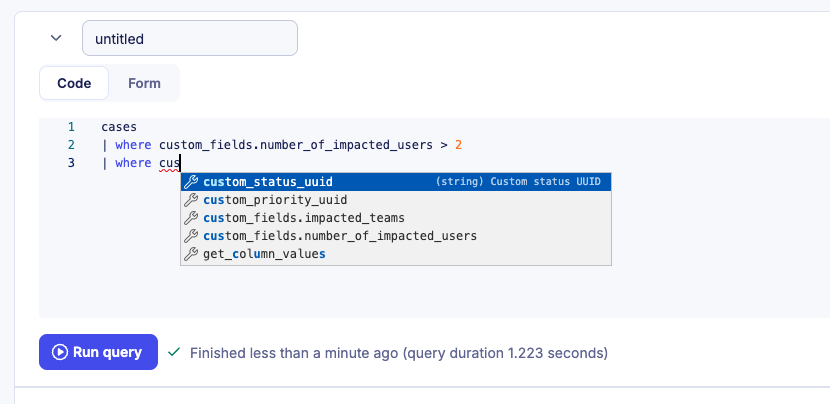
The SOL query editor provides autocomplete for custom field columns. Enter custom_fields. to see all available fields for your workspace.
Query examples
Filter by a numeric field
To retrieve cases where a numeric custom field exceeds a given value:
cases
| where created_at > ago(90d) and custom_fields.number_of_impacted_users != null
| where custom_fields.number_of_impacted_users > 2
Filter by a multi select field
To retrieve cases where a multi select field contains specific values:
cases
| where created_at > ago(90d)
| where custom_fields.impacted_teams in ["HR", "Finance"]
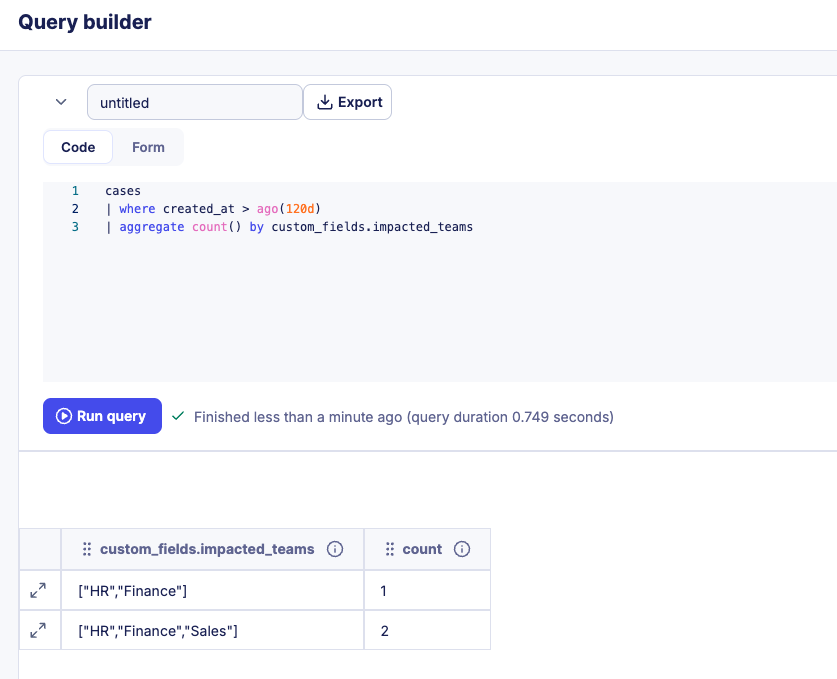
Aggregate by a custom field
To count cases grouped by a custom field value:
cases
| where created_at > ago(90d)
| aggregate count() by custom_fields.impacted_teams
Use query results in dashboards
You can use any custom field query as the data source for a dashboard widget. For instructions on creating and configuring widgets, see the dashboards documentation.
Related articles
- Case custom fields: Overview of custom field types, multi-tenancy behavior, and workspace limits.
- Manage custom field definitions: How to create, edit, and delete custom field definitions.
- Use custom fields in cases: How to add and edit custom field values on individual cases.
- Manage cases: How to filter cases by custom field values from the listing page.
- Dashboards: How to build widgets and visualizations from SOL queries including custom field data.