Subscriptions
The Subscriptions page gives you a centralized view of all active and inactive licenses across your communities. You can use it to monitor subscription status, track expiration dates, and manage trial periods.
Access requirements
The following roles can access the Subscriptions page:
| Role | View subscriptions | Allocate trials and subscriptions |
|---|---|---|
| Admin | ✅ | ✅ |
| Analyst | ✅ | ❌ |
| Guest | ✅ | ❌ |
You must also have the following permissions:
- Read community licenses
- Manage community licenses
Subscription information
Regardless of your community type, the Subscriptions page displays:
- Current subscriptions
- Expired subscriptions
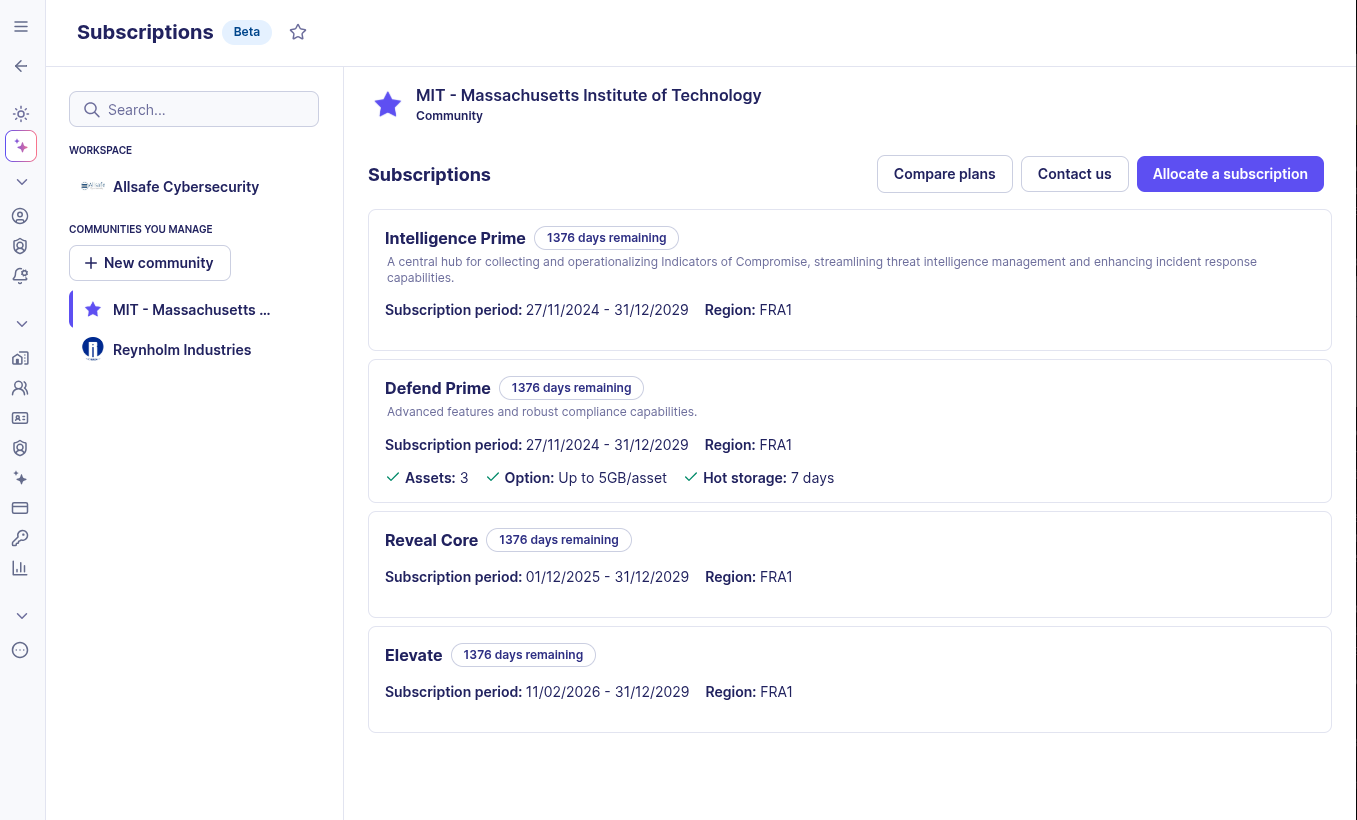
For each subscription, you can view:
- The plan type (e.g., Defend Core, Defend Prime, Intelligence)
- The subscription period, region, number of defended assets, and retention durations
- The remaining days on the subscription
To compare available plans, click Compare plans. To contact the Sekoia team, click Contact us.
Single-tenant communities
If you manage a single-tenant community, the Subscriptions page shows the subscriptions attached to that community.
MSSP (multi-tenant) communities
If you manage a multi-tenant workspace, the Subscriptions page gives you visibility across all your managed communities.
A double navigation panel lets you switch between communities quickly. The community list displays each community name alongside its subscription status. A red icon indicates that a community has no active subscription.
Community subscriptions overview
From the workspace, you can get a consolidated view of all managed community subscriptions. You can:
- View the full list of communities and their subscription status
- Filter by: Trial, nearly expired, not active
- Search for a specific community using the search bar
Trial subscriptions
A trial is a temporary subscription that gives you access to platform features for a limited period, with no financial commitment.
When you create a new community, a trial subscription is automatically made available.
The trial subscription includes:
| Property | Value |
|---|---|
| Duration | 45 days |
| Plan | Defend Prime |
| Number of assets | Up to 1,000 |
| Hot storage | 7 days |
| Archiving duration | 0 days |
Related links
- Allocate a trial subscription: Step-by-step instructions for manually assigning a trial subscription to a community from the MSSP workspace.
- Subscription notifications: How Sekoia notifies administrators about upcoming and expired licenses, including email and in-app banner behavior.