ESET EDR
Overview
ESET EDR monitors, detects and mitigates threats on endpoints. It reduces the attack surface and prevents attacks by using anti-exploit, anti-ransomware, and advanced control technologies.
This setup guide shows how to forward device assets from ESET to Sekoia.io.
- Vendor: ESET
- Product: ESET PROTECT Hub / ESET Business Account
- Supported environment: Cloud
Configure
Create a dedicated API user account
We recommend creating a dedicated API user to separate your regular account from API activities.
Note
Only the Root or Superuser can create a user with access to API endpoints. API access rights cannot be granted to the ESET Business Account Superuser, ESET MSP Administrator 2 Root user, and ESET PROTECT Hub Superuser accounts.
For ESET Business Account and ESET MSP Administrator 2
-
Log in as a Superuser (or Root) to your
ESET Business AccountorESET MSP Administrator 2. -
Navigate to User management and create a new user with the desired level of access rights.
-
Under the Access Rights section, enable the toggle next to Integrations.
-
Click Create to apply the changes.
-
The new user receives an invitation email and must finish the account creation process.
For ESET PROTECT Hub
-
Log in as a Superuser to your
ESET PROTECT Hubaccount. -
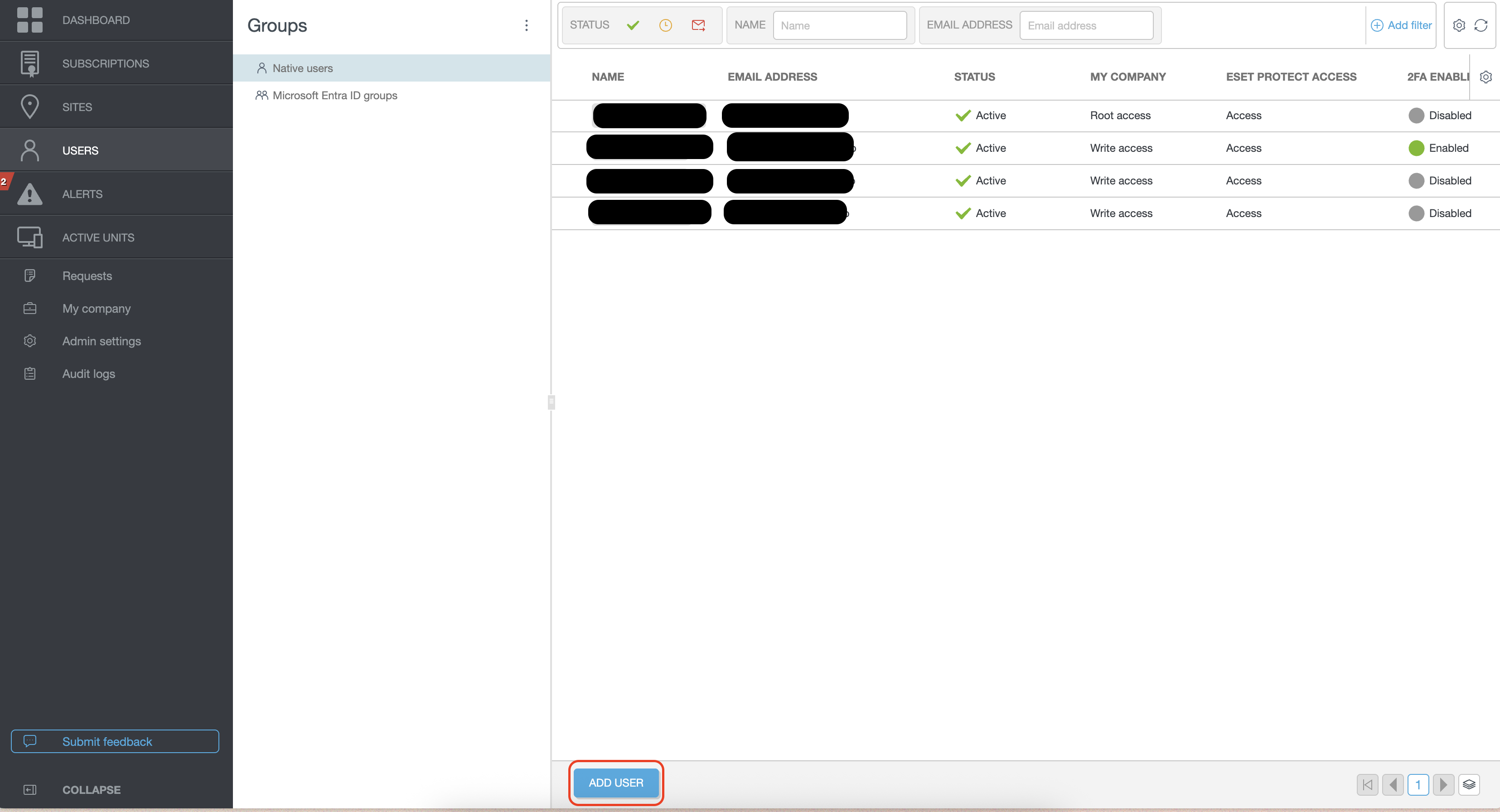
Navigate to Users and add a new user.
-
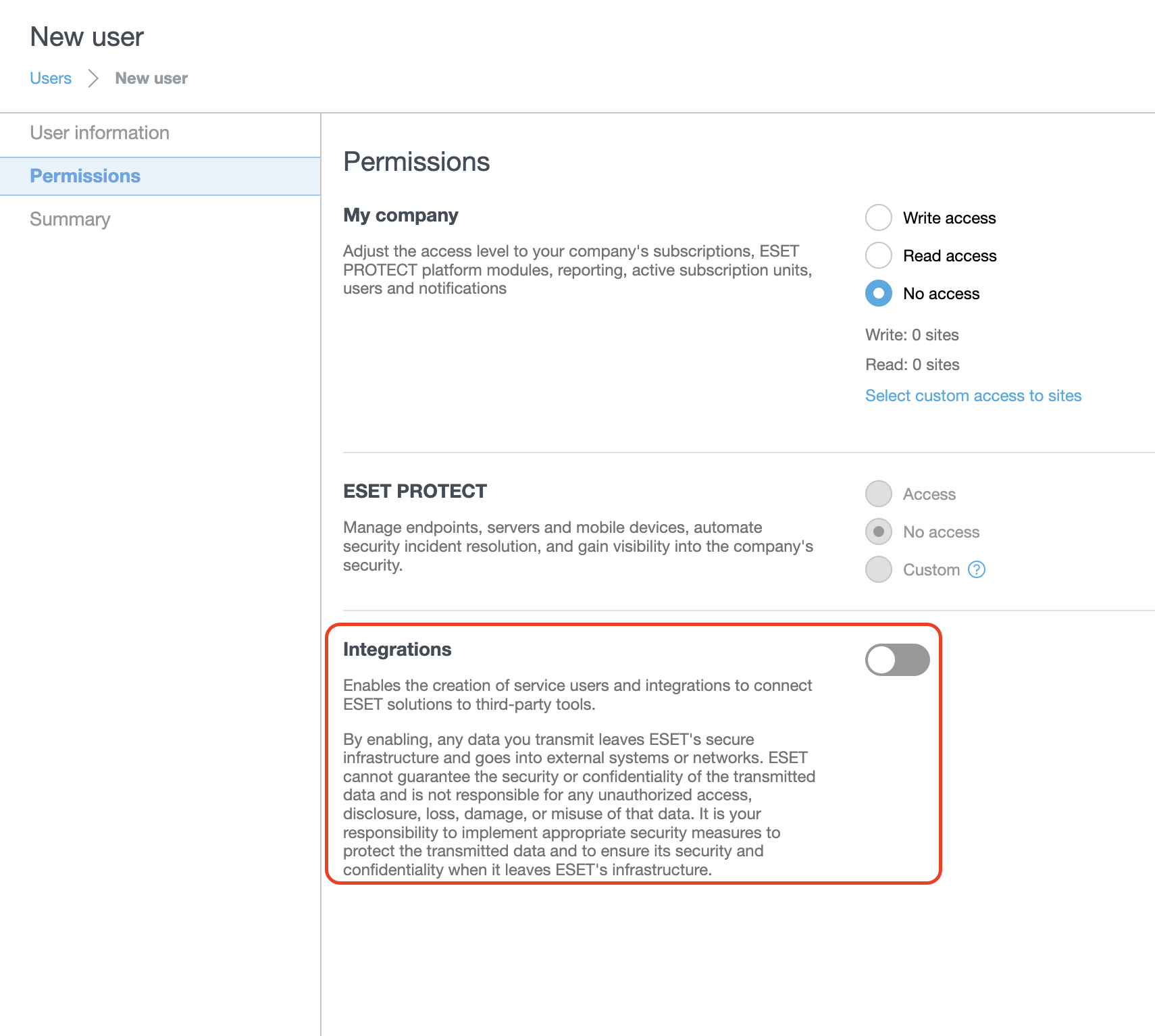
Set the desired level of permissions for the user.
-
Under the Permissions section, enable the toggle next to Integrations.
-
Click Next and then Create to apply the changes.
-
The new user receives an invitation email and must finish the account creation process.
-
The new user must log in to ESET PROTECT Hub at least once before using the API services.
Note
If you require custom permissions for the user, assign the required permission sets directly in ESET PROTECT. You can combine several permission sets if needed. Refer to the List of permissions chapter for details.
Create your asset connector
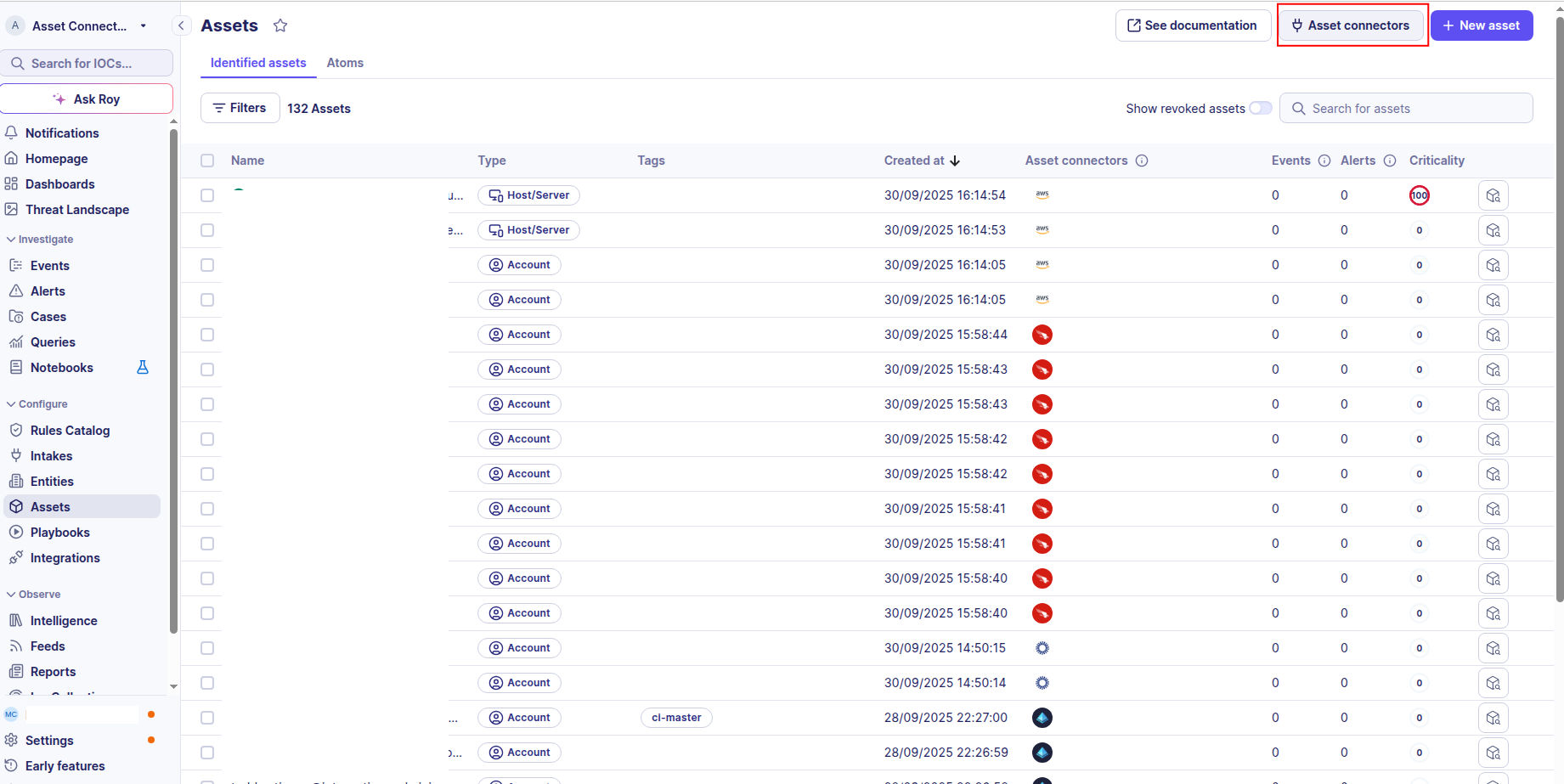
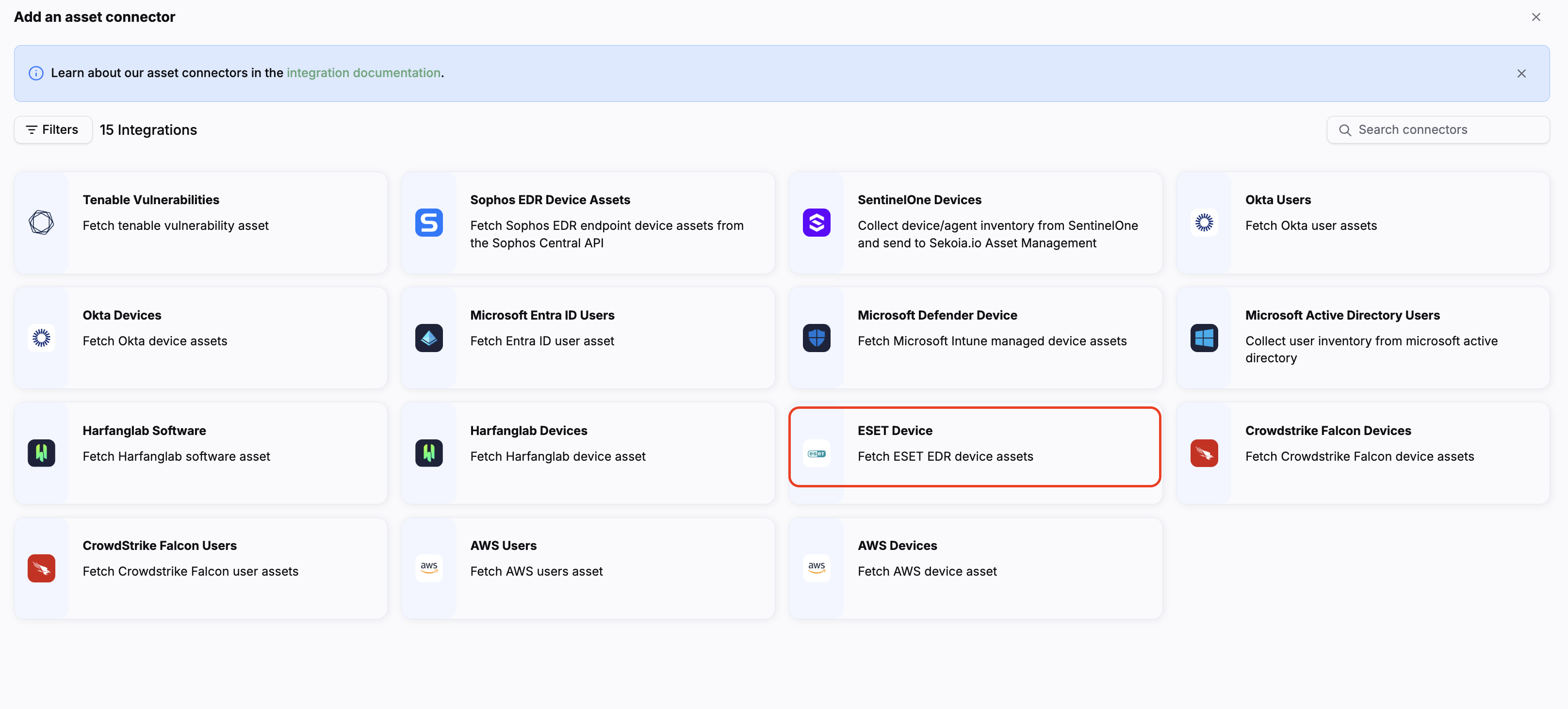
To start getting your ESET assets into Sekoia.io, you need to create an asset connector on the Assets page. To do so, follow these steps:
-
Click the Asset connectors button to create a new connector.
-
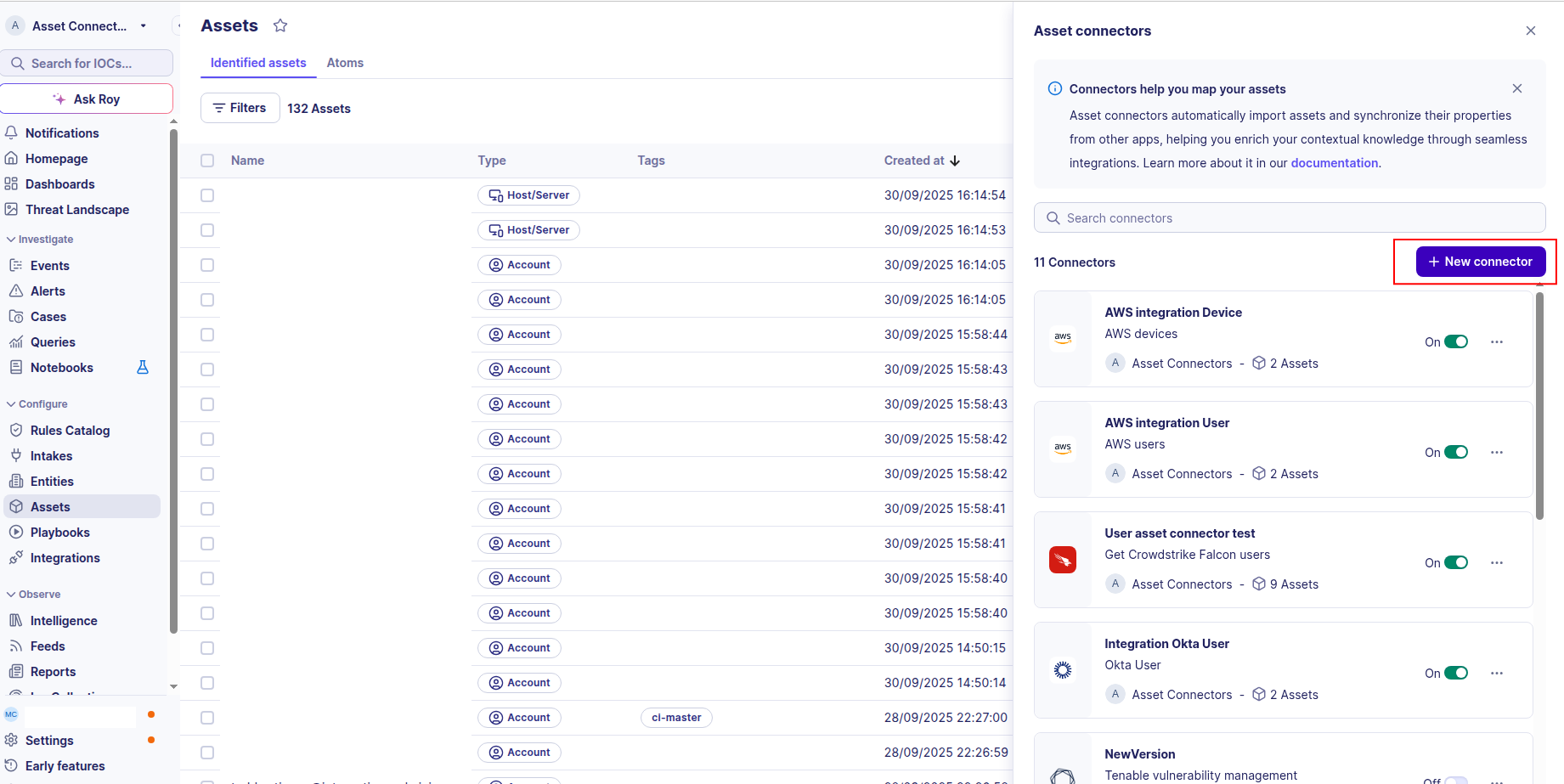
Click the + New connector button.
-
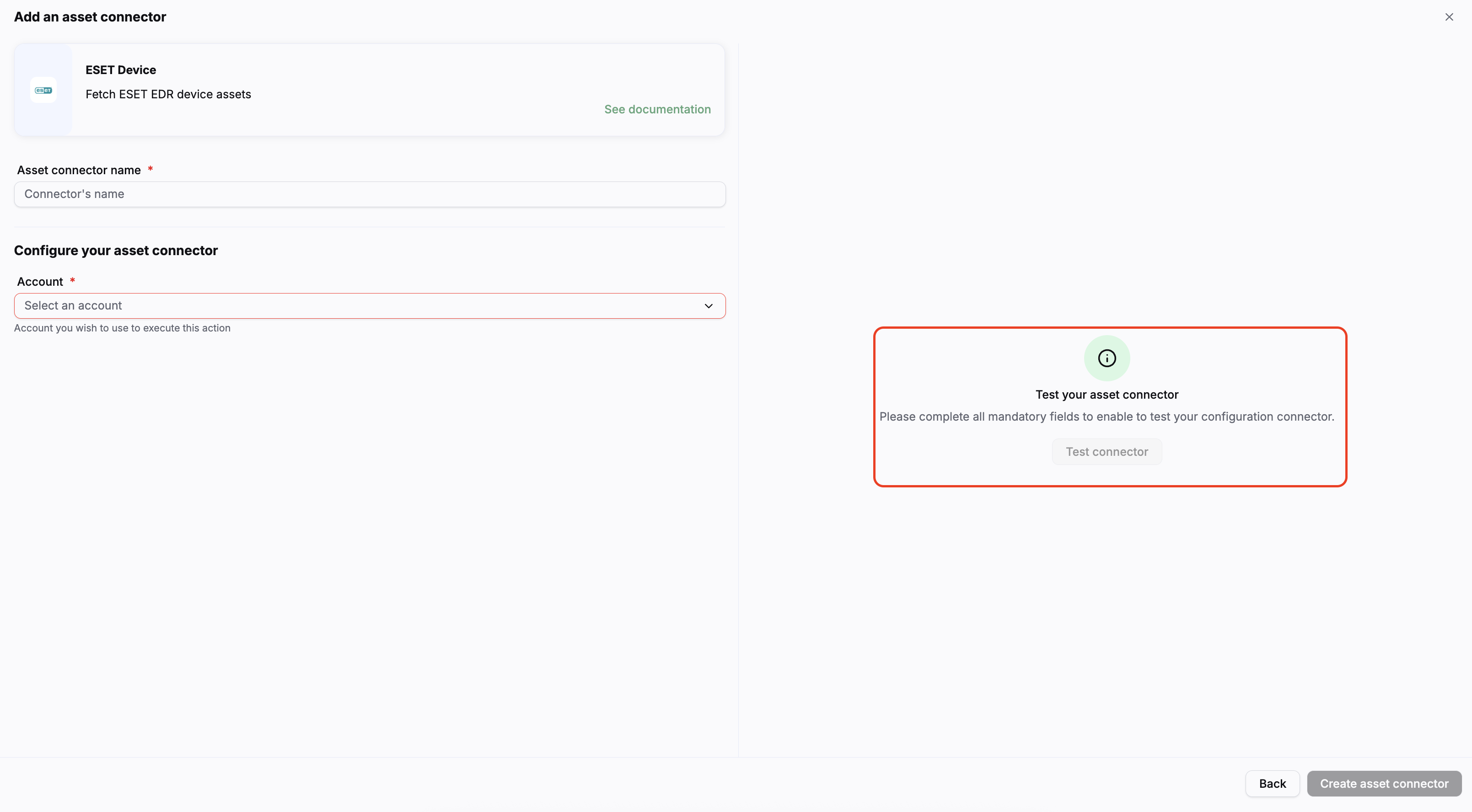
Choose ESET EDR, give it a name, and fill in the required fields:
- Username: The username (email) of the dedicated API user account you created.
- Password: The password of the dedicated API user account.
- Region: The region of your ESET account (e.g.,
EUorUS).
-
Test the connection by clicking the Test connector button.
-
Click the Create asset connector button.
Warning
- Ensure the dedicated API user has logged in to ESET PROTECT Hub at least once before configuring this connector.
- The API user must have the Integrations toggle enabled under their access rights/permissions.
OCSF Mapping for ESET Device
OCSF Class: Device Inventory Info
Class UID: 5001
OCSF Version: 1.5.0
Information Collected
The ESET Device fetches comprehensive information and transforms it into the OCSF (Open Cybersecurity Schema Framework) format for standardized security monitoring and asset management.
API Response Examples
ESET Device Sample
A sample device from the ESET EDR GET /v1/devices endpoint
{
  "uuid": "550e8400-e29b-41d4-a716-446655440000",
  "displayName": "DESKTOP-ABC123",
  "description": "Finance workstation",
  "deviceType": "DEVICE_TYPE_DESKTOP",
  "enrollmentStatus": "DEVICE_ENROLLMENT_STATUS_ENROLLED",
  "functionalityStatus": "DEVICE_FUNCTIONALITY_STATUS_OK",
  "isMaster": true,
  "isMobile": false,
  "isMuted": false,
  "lastSyncTime": "2025-05-21T10:00:00Z",
  "managementDomain": "eu.automation.eset.systems",
  "primaryLocalIpAddress": "192.168.1.42",
  "publicIpAddress": "203.0.113.10",
  "tags": ["finance", "windows"],
  "operatingSystem": {
    "bitness": 64,
    "displayName": "Windows 10 Enterprise",
    "editionId": 4,
    "familyId": 1,
    "version": {
      "id": "10.0.19041",
      "major": 10,
      "minor": 0,
      "name": "Windows 10",
      "patch": 19041
    }
  },
  "hardwareProfiles": [
    {
      "manufacturer": "Dell Inc.",
      "model": "Latitude 5520",
      "networkAdapters": [
        {
          "caption": "Intel(R) Ethernet Connection",
          "macAddress": "AA:BB:CC:DD:EE:FF",
          "malformedData": null
        }
      ]
    }
  ],
  "deployedComponents": [
    {
      "displayName": "ESET Endpoint Security",
      "version": {
        "id": "10.0.2045.0",
        "major": 10,
        "minor": 0,
        "name": "ESET Endpoint Security 10.0",
        "patch": 2045
      },
      "id": 1,
      "name": "eea"
    }
  ],
  "activeProducts": [
    {
      "activateDate": { "year": 2025, "month": 1, "day": 15 },
      "subscriptionUuid": "sub-uuid-123",
      "unitPoolUuid": "pool-uuid-456",
      "validityDate": { "year": 2026, "month": 1, "day": 15 },
      "id": 10,
      "name": "ESET PROTECT Entry"
    }
  ],
  "cloningConfiguration": {
    "cloneNamingPatterns": ["DESKTOP-*"],
    "securityGroupUuid": "sec-group-uuid-1",
    "securityGroupDisplayName": "Default Security Group"
  }
}
ESET Device Group Sample
A sample device group from GET /v1/device_groups
{
  "uuid": "group-uuid-1",
  "displayName": "Finance Department",
  "isSecurityGroup": false,
  "linkedEntityType": "DEVICE_GROUP_ENTITY_TYPE_UNSPECIFIED",
  "parentGroupUuid": "root-group-uuid"
}
Data Mapping Table
The following table shows how source data is mapped to OCSF model fields:
| Source Field | OCSF Field Path | Description | Data Type | Logic |
|---|---|---|---|---|
uuid |
device.uid |
Unique identifier for the device | string |
Direct mapping — ESET device UUID becomes the OCSF device UID |
displayName |
device.hostname |
Device display name used as hostname | string |
displayName is used as the OCSF hostname; falls back to originalDisplayName then uuid |
displayName |
device.name |
Human-readable device name | string |
Direct mapping |
description |
device.desc |
Optional device description | string |
Direct mapping |
deviceType / isMobile |
device.type / device.type_id |
OCSF device type classification | string / integer |
isMobile=true → Mobile (5); deviceType contains SERVER → Server (1); contains VIRTUAL → Virtual (6); default → Desktop (2) |
operatingSystem.familyId |
device.os.type / device.os.type_id |
OCSF OS type derived from ESET OS family ID | string / integer |
1 → windows/100, 2 → macos/300, 3 → linux/200, 4 → android/201, 5 → ios/301, null → unknown/0, other → other/99 |
operatingSystem.displayName |
device.os.name |
Operating system display name | string |
Direct mapping; falls back to operatingSystem.version.name |
primaryLocalIpAddress |
device.ip |
Primary local IP address of the device | string |
Direct mapping |
primaryLocalIpAddress + publicIpAddress + hardwareProfiles[].networkAdapters[].macAddress |
device.network_interfaces |
List of OCSF network interfaces | list[NetworkInterface] |
First NetworkInterface is built from primaryLocalIpAddress (type=Wired). MAC address from the first hardware profile adapter enriches it. Additional adapters create extra NetworkInterface entries. publicIpAddress (if different from primaryLocalIpAddress) is added as a separate NetworkInterface with type=Unknown. |
managementDomain |
device.domain |
Management domain of the device | string |
Direct mapping |
hardwareProfiles[0].manufacturer |
device.vendor_name |
Hardware vendor/manufacturer name | string |
Manufacturer taken from the first hardware profile if present |
lastSyncTime |
device.last_seen_time |
Epoch timestamp of last device sync | timestamp (Unix epoch float) |
ISO 8601 string parsed with dateutil.isoparse(), converted to .timestamp() |
lastSyncTime |
time |
Event time (top-level OCSF field) | timestamp (Unix epoch float) |
Same as last_seen_time; falls back to datetime.utcnow() if null |
hardwareProfiles[0].model |
device.model |
Device hardware model | string |
Model taken from the first hardware profile if present |
parentGroupUuid → deviceGroups |
device.groups |
OCSF groups the device belongs to | list[Group] |
Pre-loaded group map (from /v1/device_groups) is keyed by uuid. If device.parentGroupUuid matches a group, that group is added as an OCSF Group with name=displayName and uid=uuid. |
static: true |
device.is_managed |
Whether the device is managed | boolean |
All devices returned by the ESET API are managed devices |
static: ESET EDR |
metadata.product.name |
Product name in OCSF metadata | string |
Static value |
static: 2 / Collect |
activity_id / activity_name |
OCSF activity classification | integer / string |
Device inventory collection maps to OCSF activity Collect (2) |
static: 5001 / Device Inventory Info |
class_uid / class_name |
OCSF class classification | integer / string |
Static OCSF class for device inventory |
OCSF Model Structure
Transformed OCSF Device Output
The OCSF DeviceOCSFModel produced after transformation
{
  "activity_id": 2,
  "activity_name": "Collect",
  "category_name": "Discovery",
  "category_uid": 5,
  "class_name": "Device Inventory Info",
  "class_uid": 5001,
  "type_name": "Device Inventory Info: Collect",
  "type_uid": 500102,
  "time": 1747821600.0,
  "metadata": {
    "product": { "name": "ESET EDR", "version": "9.1.2500.0" },
    "version": "1.5.0"
  },
  "device": {
    "uid": "550e8400-e29b-41d4-a716-446655440000",
    "hostname": "DESKTOP-ABC123",
    "name": "DESKTOP-ABC123",
    "type": "Desktop",
    "type_id": 2,
    "desc": "Finance workstation",
    "ip": "192.168.1.42",
    "model": "Latitude 5520",
    "vendor_name": "Dell Inc.",
    "domain": "eu.automation.eset.systems",
    "is_managed": true,
    "last_seen_time": 1747821600.0,
    "os": {
      "name": "Windows 10 Enterprise",
      "type": "windows",
      "type_id": 100
    },
    "network_interfaces": [
      {
        "ip": "192.168.1.42",
        "mac": "AA:BB:CC:DD:EE:FF",
        "name": "Intel(R) Ethernet Connection",
        "hostname": "DESKTOP-ABC123",
        "type": "Wired",
        "type_id": 1
      },
      {
        "ip": "203.0.113.10",
        "type": "Unknown",
        "type_id": 0
      }
    ],
    "groups": [
      { "name": "Finance Department", "uid": "group-uuid-1" }
    ]
  }
}